Pack sizes
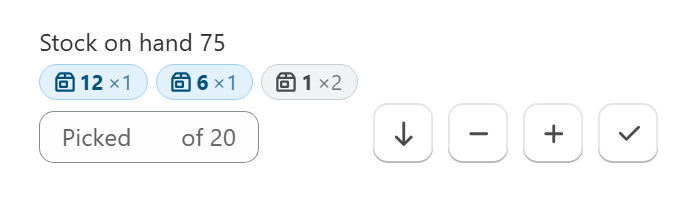
The pack size indicator shows how many packs of each size are needed for a line item, so pickers can pick whole cases or boxes instead of loose units.
Setup
- Add a metafield to your products or variants. The default is
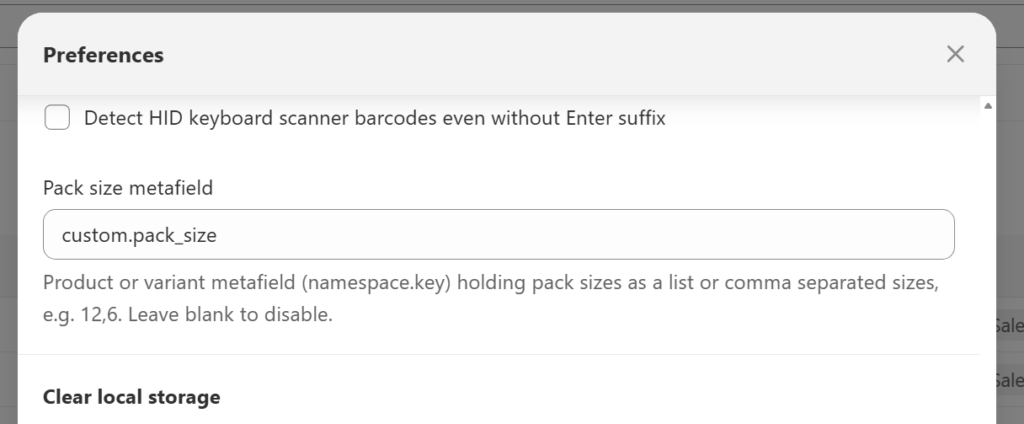
custom.pack_size. The metafield needs a definition in Shopify for product-level values to load, and variant metafields are always read.
- Enter the pack sizes as a comma-separated list (
12,6), a single number (12) or a list-type metafield ([12, 6]).
- In Preferences > Picklist settings, set Pack size metafield if you use a different metafield name. Clear the field to turn the feature off.
How it works
- Quantities are split from the largest pack size to the smallest.
- Any balance that doesn’t fill a pack is shown as packs of 1.
- Note that scanning a barcode will pick only a single item.